A control used to initiate an action. More...
#include <Button.h>
Inherits BControl.
Public Member Functions | |
| BButton (BMessage *data) | |
| Constructs a BButton object from an data message. | |
| BButton (BRect frame, const char *name, const char *label, BMessage *message, uint32 resizingMode=B_FOLLOW_LEFT_TOP, uint32 flags=B_WILL_DRAW|B_NAVIGABLE|B_FULL_UPDATE_ON_RESIZE) | |
| Creates and initializes a BButton control. | |
| BButton (const char *label, BMessage *message=NULL) | |
| Creates and initializes a BButton control. | |
| BButton (const char *name, const char *label, BMessage *message, uint32 flags=B_WILL_DRAW|B_NAVIGABLE|B_FULL_UPDATE_ON_RESIZE) | |
| Creates and initializes a BButton control. | |
| virtual | ~BButton () |
| Destructor, does nothing. | |
| BBehavior | Behavior () const |
| Returns the buttons behavior. | |
| virtual void | GetPreferredSize (float *_width, float *_height) |
| Fill out the preferred width and height of the button into the _width and _height parameters. | |
| virtual status_t | GetSupportedSuites (BMessage *message) |
| Report the suites of messages this control understands. | |
| virtual status_t | Invoke (BMessage *message=NULL) |
| Sends a copy of the model message to the designated target. | |
| bool | IsDefault () const |
| Returns whether or not the button is the default button on the window, i.e. whether or not it responds to the Enter key. | |
| bool | IsFlat () const |
| Returns whether or not the button is flat or not. | |
| virtual void | MakeDefault (bool flag) |
| Make the BButton the default button i.e. it will be activated when the user pushes the Enter key. | |
| virtual void | MakeFocus (bool focus=true) |
| Makes the button the current focus view of the window or gives up being the window's focus view. | |
| virtual BSize | MaxSize () |
| Returns the button's maximum size. | |
| virtual BSize | MinSize () |
| Returns the button's minimum size. | |
| virtual status_t | Perform (perform_code d, void *arg) |
| BMessage * | PopUpMessage () const |
Returns the message sent to the button's target when the pop-up marker is selected using B_POP_UP_BEHAVIOR. | |
| virtual BSize | PreferredSize () |
| Returns the button's preferred size. | |
| virtual void | ResizeToPreferred () |
| Resize the button to its preferred size. | |
| virtual BHandler * | ResolveSpecifier (BMessage *message, int32 index, BMessage *specifier, int32 what, const char *property) |
| void | SetBehavior (BBehavior behavior) |
| Sets the button behavior. | |
| void | SetFlat (bool flat) |
| Sets or unsets the button to be flat. | |
| virtual status_t | SetIcon (const BBitmap *icon, uint32 flags=0) |
| This convenience method is used to set the bitmaps for the standard states from a single bitmap. | |
| virtual void | SetLabel (const char *string) |
| Sets the button's label. | |
| void | SetPopUpMessage (BMessage *message) |
Sets the message sent to the button's target when the pop-up marker is selected using B_POP_UP_BEHAVIOR. | |
| virtual void | SetValue (int32 value) |
| Sets the value of the button. | |
 Public Member Functions inherited from BControl Public Member Functions inherited from BControl | |
| BControl (BRect frame, const char *name, const char *label, BMessage *message, uint32 resizingMode, uint32 flags) | |
| Construct a control in the frame with a name, label, model message, resizingMode, and creation flags. | |
| BControl (const char *name, const char *label, BMessage *message, uint32 flags) | |
| Construct a control with a name, label, model message, and creation flags suitable for use with the Layout API. | |
| virtual | ~BControl () |
| Frees all memory used by the BControl object including the memory used by the model message. | |
| virtual void | AllAttached () |
| Similar to AttachedToWindow() but this method is triggered after all child views have already been detached from a window. | |
| virtual void | AllDetached () |
| Similar to AttachedToWindow() but this method is triggered after all child views have already been detached from a window. | |
| virtual void | AttachedToWindow () |
| Hook method called when the control is attached to a window. | |
| virtual void | DetachedFromWindow () |
| Hook method called when the control is detached from a window. | |
| virtual void | GetPreferredSize (float *_width, float *_height) |
| Fill out the preferred width and height of the control into the _width and _height parameters. | |
| virtual status_t | GetSupportedSuites (BMessage *message) |
| Report the suites of messages this control understands. | |
| const BBitmap * | IconBitmap (uint32 which) const |
| Get the currently set bitmap for a specific state. | |
| virtual status_t | Invoke (BMessage *message=NULL) |
| Sends a copy of the model message to the designated target. | |
| bool | IsEnabled () const |
| Gets whether or not the control is currently enabled. | |
| virtual void | KeyDown (const char *bytes, int32 numBytes) |
| Hook method called when a keyboard key is pressed. | |
| const char * | Label () const |
| Gets the label of the control. | |
| virtual void | MakeFocus (bool focus=true) |
| Gives or removes focus from the control. | |
| virtual void | MessageReceived (BMessage *message) |
| Handle message received by the associated looper. | |
| virtual void | MouseDown (BPoint where) |
| Hook method called when a mouse button is pressed. | |
| virtual void | MouseMoved (BPoint where, uint32 code, const BMessage *dragMessage) |
| Hook method called when the mouse is moved. | |
| virtual void | MouseUp (BPoint where) |
| Hook method called when a mouse button is released. | |
| virtual status_t | Perform (perform_code d, void *arg) |
| virtual void | ResizeToPreferred () |
| Resize the control to its preferred size. | |
| virtual BHandler * | ResolveSpecifier (BMessage *message, int32 index, BMessage *specifier, int32 what, const char *property) |
| virtual void | SetEnabled (bool enabled) |
| Enables or disables the control. | |
| virtual status_t | SetIcon (const BBitmap *bitmap, uint32 flags=0) |
| This convenience method is used to set the bitmaps for the standard states from a single bitmap. | |
| status_t | SetIconBitmap (const BBitmap *bitmap, uint32 which, uint32 flags=0) |
| Icon bitmaps for various states of the control (off, on, partially on, each enabled or disabled, plus up to 125 custom states) can be set individually. | |
| virtual void | SetLabel (const char *string) |
| Sets the label of the control. | |
| virtual void | SetValue (int32 value) |
| Sets the value of the control. | |
| int32 | Value () const |
| Gets the value of the control. | |
| virtual void | WindowActivated (bool active) |
| Hook method called when the attached window is activated or deactivated. | |
| BControl (BMessage *data) | |
| Creates a new BControl object from an data message. | |
| Public Member Functions inherited from BView | |
| BView (BMessage *archive) | |
| Archive constructor. | |
| BView (BRect frame, const char *name, uint32 resizingMode, uint32 flags) | |
| Standard constructor. | |
| BView (const char *name, uint32 flags, BLayout *layout=NULL) | |
| Layout constructor. | |
| virtual | ~BView () |
| Destructor method. | |
| BRect | Bounds () const |
| Returns the view's frame rectangle in the view's coordinate system. | |
| void | Flush () const |
| Flushes the attached window's connection to App Server. | |
| BRect | Frame () const |
| Returns the view's frame rectangle in the parent's coordinate system. | |
| virtual void | GetPreferredSize (float *_width, float *_height) |
| Fill out the preferred width and height of the view into the _width and _height parameters. | |
| virtual status_t | GetSupportedSuites (BMessage *data) |
| virtual void | Hide () |
| Hides the view without removing it from the view hierarchy. | |
| bool | IsFocus () const |
| Returns whether or not the view is the window's current focus view. | |
| bool | IsHidden () const |
| Returns whether or not the view is hidden. | |
| bool | IsHidden (const BView *looking_from) const |
| Returns whether or not the view is hidden from the perspective of lookingFrom. | |
| bool | IsPrinting () const |
| Returns whether or not the view is drawing to a printer. | |
| BPoint | LeftTop () const |
| Returns the left top corner point. | |
| virtual status_t | Perform (perform_code code, void *data) |
| Perform some action. (Internal Method) | |
| virtual void | ResizeToPreferred () |
| Resizes the view to its preferred size keeping the position of the left top corner constant. | |
| uint32 | ResizingMode () const |
| Returns the resizing mode flags mask set in the constructor or by SetResizingMode(). | |
| virtual BHandler * | ResolveSpecifier (BMessage *message, int32 index, BMessage *specifier, int32 form, const char *property) |
| virtual void | SetResizingMode (uint32 mode) |
| Sets the resizing mode of the view according to the mode mask. | |
| void | SetViewCursor (const BCursor *cursor, bool sync=true) |
| Assigns cursor to the view. | |
| virtual void | Show () |
| Shows the view making it visible. | |
| void | Sync () const |
| Synchronizes the attached window's connection to App Server. | |
| BWindow * | Window () const |
| Returns the window the view is attached to. | |
| void | AddChild (BView *child, BView *before=NULL) |
| Adds child to the view hierarchy immediately before before. | |
| bool | AddChild (BLayoutItem *child) |
| Add the child layout item to the view hierarchy. | |
| bool | RemoveChild (BView *child) |
| Removes child from the view hierarchy. | |
| int32 | CountChildren () const |
| Returns the number of child views that this view has. | |
| BView * | ChildAt (int32 index) const |
| Returns a pointer to the child view found at index. | |
| BView * | NextSibling () const |
| Returns a pointer to the next sibling view. | |
| BView * | PreviousSibling () const |
| Returns a pointer to the previous sibling view. | |
| bool | RemoveSelf () |
| Removes the view and all child views from the view hierarchy. | |
| BView * | FindView (const char *name) const |
| Returns the view in the view hierarchy with the specified name. | |
| BView * | Parent () const |
| Returns a pointer to the view's parent. | |
| void | ConvertToScreen (BPoint *point) const |
| Convert point to the screen's coordinate system in place. | |
| BPoint | ConvertToScreen (BPoint point) const |
| Returns point converted to the screen's coordinate system. | |
| void | ConvertFromScreen (BPoint *point) const |
| Convert point from the screen's coordinate system to the view's coordinate system in place. | |
| BPoint | ConvertFromScreen (BPoint point) const |
| Returns point converted from the screen's coordinate system to the view's coordinate system. | |
| void | ConvertToScreen (BRect *rect) const |
| Convert rect to the screen's coordinate system in place. | |
| BRect | ConvertToScreen (BRect rect) const |
| Returns rect converted to the screen's coordinate system. | |
| void | ConvertFromScreen (BRect *rect) const |
| Convert rect from the screen's coordinate system to the view's coordinate system in place. | |
| BRect | ConvertFromScreen (BRect rect) const |
| Returns rect converted from the screen's coordinate system to the view's coordinate system. | |
| void | ConvertToParent (BPoint *point) const |
| Convert point to the parent's coordinate system in place. | |
| BPoint | ConvertToParent (BPoint point) const |
| Returns point converted to the parent's coordinate system. | |
| void | ConvertFromParent (BPoint *point) const |
| Convert point from the parent's coordinate system to the view's coordinate system in place. | |
| BPoint | ConvertFromParent (BPoint point) const |
| Returns point converted from the parent's coordinate system to the view's coordinate system. | |
| void | ConvertToParent (BRect *rect) const |
| Convert rect to the parent's coordinate system in place. | |
| BRect | ConvertToParent (BRect rect) const |
| Returns rect converted to the parent's coordinate system. | |
| void | ConvertFromParent (BRect *rect) const |
| Convert rect from the parent's coordinate system to the view's coordinate system in place. | |
| BRect | ConvertFromParent (BRect rect) const |
| Returns rect converted from the parent's coordinate system to the view's coordinate system. | |
| virtual void | SetFlags (uint32 flags) |
| Sets the view flags to the flags mask. | |
| uint32 | Flags () const |
| Return the view flags set in the constructor or by SetFlags(). | |
| void | GetClippingRegion (BRegion *region) const |
| Fill out region with the view's clipping region. | |
| virtual void | ConstrainClippingRegion (BRegion *region) |
| Set the clipping region the region restricting the area that the view can draw in. | |
| void | ClipToPicture (BPicture *picture, BPoint where=B_ORIGIN, bool sync=true) |
| Intersects the current clipping region of the view with the pixels of picture. | |
| void | ClipToInversePicture (BPicture *picture, BPoint where=B_ORIGIN, bool sync=true) |
| Intersects the current clipping region of the view with the pixels outside of picture. | |
| void | ClipToRect (BRect rect) |
| Intersects the current clipping region of the view with the pixels of rect. | |
| void | ClipToInverseRect (BRect rect) |
| Intersects the current clipping region of the view with the pixels outside of rect. | |
| void | ClipToShape (BShape *shape) |
| Intersects the current clipping region of the view with the pixels of shape. | |
| void | ClipToInverseShape (BShape *shape) |
| Intersects the current clipping region of the view with the pixels outside of shape. | |
| virtual void | SetDrawingMode (drawing_mode mode) |
| Sets the drawing mode of the view. | |
| drawing_mode | DrawingMode () const |
| Return the current drawing_mode. | |
| void | SetBlendingMode (source_alpha srcAlpha, alpha_function alphaFunc) |
| Set the blending mode which controls how transparency is used. | |
| void | GetBlendingMode (source_alpha *srcAlpha, alpha_function *alphaFunc) const |
| Fill out srcAlpha and alphaFunc with the alpha mode and alpha function of the view. | |
| virtual void | SetPenSize (float size) |
| Set the pen size to size. | |
| float | PenSize () const |
| Return the current pen size. | |
| bool | HasDefaultColors () const |
| Tests if the view has any colors set. | |
| bool | HasSystemColors () const |
| Tests if the view is using system "panel" colors. B_PANEL_BACKGROUND_COLOR for ViewUIColor() B_PANEL_BACKGROUND_COLOR for LowUIColor() B_PANEL_TEXT_COLOR for HighUIColor() | |
| void | AdoptParentColors () |
| Attempts to use the colors of any parent view. Will adopt view, low, and high colors. Should be called in AttachedToWindow() or AllAttached(). | |
| void | AdoptSystemColors () |
| Instructs view to use standard system "panel" colors. B_PANEL_BACKGROUND_COLOR for ViewUIColor() B_PANEL_BACKGROUND_COLOR for LowUIColor() B_PANEL_TEXT_COLOR for HighUIColor() | |
| void | AdoptViewColors (BView *view) |
| Attempts to use the colors of a given view. Will adopt view, low, and high colors. | |
| virtual void | SetViewColor (rgb_color color) |
| Set the view color of the view. | |
| void | SetViewColor (uchar red, uchar green, uchar blue, uchar alpha=255) |
| Set the view color of the view. | |
| rgb_color | ViewColor () const |
| Return the current view color. | |
| void | SetViewUIColor (color_which which, float tint=B_NO_TINT) |
| Set the view color of the view to a system constant. The color will update live with user changes. | |
| color_which | ViewUIColor (float *tint=NULL) const |
| Return the current view color constant being used. | |
| virtual void | SetHighColor (rgb_color color) |
| Set the high color of the view. | |
| void | SetHighColor (uchar red, uchar green, uchar blue, uchar alpha=255) |
| Set the high color of the view. | |
| rgb_color | HighColor () const |
| Return the current high color. | |
| void | SetHighUIColor (color_which which, float tint=B_NO_TINT) |
| Set the high color of the view to a system constant. The color will update live with user changes. | |
| color_which | HighUIColor (float *tint=NULL) const |
| Return the current high color constant being used. | |
| virtual void | SetLowColor (rgb_color color) |
| Set the low color of the view. | |
| void | SetLowColor (uchar red, uchar green, uchar blue, uchar alpha=255) |
| Set the low color of the view. | |
| rgb_color | LowColor () const |
| Return the current low color. | |
| void | SetLowUIColor (color_which which, float tint=B_NO_TINT) |
| Set the low color of the view to a system constant. The color will update live with user changes. | |
| color_which | LowUIColor (float *tint=NULL) const |
| Return the current low color constant being used. | |
| void | SetLineMode (cap_mode lineCap, join_mode lineJoin, float miterLimit=B_DEFAULT_MITER_LIMIT) |
| Set line mode to use PostScript-style line cap and join modes. | |
| join_mode | LineJoinMode () const |
| Returns the current line join mode. | |
| cap_mode | LineCapMode () const |
| Returns the current line cap mode. | |
| float | LineMiterLimit () const |
Returns the miter limit used for B_MITER_JOIN join mode. | |
| void | SetFillRule (int32 rule) |
| Sets the fill rule for the view. | |
| int32 | FillRule () const |
| Return the current fill mode. | |
| void | SetOrigin (BPoint where) |
| Sets the origin in the view's coordinate system. | |
| void | SetOrigin (float x, float y) |
| Sets the origin in the view's coordinate system. | |
| BPoint | Origin () const |
| Returns the origin point in the view's coordinate system. | |
| void | SetTransform (BAffineTransform transform) |
| Sets a BAffineTransform to transform the coordinate system. | |
| BAffineTransform | Transform () const |
| Returns the current BAffineTransform that is applied to the coordinate system. | |
| void | TranslateBy (double x, double y) |
| Translate the current view by coordinates. | |
| void | ScaleBy (double x, double y) |
| Scale the current view by factors x and y. | |
| void | RotateBy (double angleRadians) |
| Rotate the current view by angleRadians. | |
| BAffineTransform | TransformTo (coordinate_space basis) const |
| Return the BAffineTransform to convert from the current drawing space to basis. | |
| void | PushState () |
| Saves the drawing state to the stack. | |
| void | PopState () |
| Restores the drawing state from the stack. | |
| void | MovePenTo (BPoint pt) |
| Move the pen to point in the view's coordinate system. | |
| void | MovePenTo (float x, float y) |
| Move the pen to the point specified by x and y in the view's coordinate system. | |
| void | MovePenBy (float x, float y) |
| Move the pen by x pixels horizontally and y pixels vertically. | |
| BPoint | PenLocation () const |
| Return the current pen location as a BPoint object. | |
| virtual void | SetFont (const BFont *font, uint32 mask=B_FONT_ALL) |
| Set the font of the view. | |
| void | GetFont (BFont *font) const |
| Fill out font with the font set to the view. | |
| void | TruncateString (BString *in_out, uint32 mode, float width) const |
| Truncate string with truncation mode mode so that it is no wider than width set in the view's font. | |
| float | StringWidth (const char *string) const |
| Return the width of string set in the font of the view. | |
| float | StringWidth (const char *string, int32 length) const |
| Return the width of string set in the font of the view up to length characters. | |
| void | GetStringWidths (char *stringArray[], int32 lengthArray[], int32 numStrings, float widthArray[]) const |
| Fill out widths of the strings in stringArray set in the font of the view into widthArray. | |
| void | SetFontSize (float size) |
| Set the size of the view's font to size. | |
| void | ForceFontAliasing (bool enable) |
| Turn anti-aliasing on and off when printing. | |
| void | GetFontHeight (font_height *height) const |
| Fill out the font_height struct with the view font. | |
| void | SetScale (float scale) const |
| Sets the scale of the coordinate system the view uses for drawing. | |
| float | Scale () const |
| Return the current drawing scale. | |
| void | SetViewBitmap (const BBitmap *bitmap, BRect srcRect, BRect dstRect, uint32 followFlags=B_FOLLOW_LEFT_TOP, uint32 options=B_TILE_BITMAP) |
| Sets the background bitmap of the view. | |
| void | SetViewBitmap (const BBitmap *bitmap, uint32 followFlags=B_FOLLOW_LEFT_TOP, uint32 options=B_TILE_BITMAP) |
| Sets the background bitmap of the view. | |
| void | ClearViewBitmap () |
| Clears the background bitmap of the view if it has one. | |
| status_t | SetViewOverlay (const BBitmap *overlay, BRect srcRect, BRect dstRect, rgb_color *colorKey, uint32 followFlags=B_FOLLOW_LEFT_TOP, uint32 options=0) |
| Sets the overlay bitmap of the view. | |
| status_t | SetViewOverlay (const BBitmap *overlay, rgb_color *colorKey, uint32 followFlags=B_FOLLOW_LEFT_TOP, uint32 options=0) |
| Sets the overlay bitmap of the view. | |
| void | ClearViewOverlay () |
| Clears the overlay bitmap of the view if it has one. | |
| void | StrokeLine (BPoint toPoint, ::pattern pattern=B_SOLID_HIGH) |
| Stroke a line from the current pen location to the point toPoint. | |
| void | StrokeLine (BPoint start, BPoint end, ::pattern pattern=B_SOLID_HIGH) |
| Stroke a line from point start to point end. | |
| void | BeginLineArray (int32 count) |
| Begin a line array of up to count lines. | |
| void | AddLine (BPoint start, BPoint end, rgb_color color) |
| Add a line to the line array drawn from start to end. | |
| void | EndLineArray () |
| End the line array drawing the lines. | |
| void | StrokePolygon (const BPolygon *polygon, bool closed=true, ::pattern pattern=B_SOLID_HIGH) |
| Stroke a polygon shape. | |
| void | StrokePolygon (const BPoint *pointArray, int32 numPoints, bool closed=true, ::pattern pattern=B_SOLID_HIGH) |
| Stroke a polygon shape made up of points specified by pointArray. | |
| void | StrokePolygon (const BPoint *pointArray, int32 numPoints, BRect bounds, bool closed=true, ::pattern pattern=B_SOLID_HIGH) |
| Stroke a polygon shape made up of points specified by pointArray inscribed by bounds. | |
| void | FillPolygon (const BPolygon *polygon, ::pattern pattern=B_SOLID_HIGH) |
| Fill a polygon shape. | |
| void | FillPolygon (const BPoint *pointArray, int32 numPoints, ::pattern pattern=B_SOLID_HIGH) |
| Fill a polygon shape made up of points specified by pointArray. | |
| void | FillPolygon (const BPoint *pointArray, int32 numPoints, BRect bounds, ::pattern pattern=B_SOLID_HIGH) |
| Fill a polygon shape made up of points specified by pointArray inscribed by bounds. | |
| void | FillPolygon (const BPolygon *polygon, const BGradient &gradient) |
| Fill a polygon shape with the specified gradient pattern. | |
| void | FillPolygon (const BPoint *pointArray, int32 numPoints, const BGradient &gradient) |
| Fill a polygon shape made up of points specified by pointArray with the specified gradient pattern. | |
| void | FillPolygon (const BPoint *pointArray, int32 numPoints, BRect bounds, const BGradient &gradient) |
| Fill a polygon shape made up of points specified by pointArray inscribed by bounds with the specified gradient pattern. | |
| void | StrokeTriangle (BPoint point1, BPoint point2, BPoint point3, BRect bounds, ::pattern pattern=B_SOLID_HIGH) |
| Stroke the triangle specified by points point1, point2, and point3 and enclosed by bounds. | |
| void | StrokeTriangle (BPoint point1, BPoint point2, BPoint point3, ::pattern pattern=B_SOLID_HIGH) |
| Stroke the triangle specified by points point1, point2, and point3. | |
| void | FillTriangle (BPoint point1, BPoint point2, BPoint point3, ::pattern pattern=B_SOLID_HIGH) |
| Fill the triangle specified by points point1, point2, and point3. | |
| void | FillTriangle (BPoint point1, BPoint point2, BPoint point3, BRect bounds, ::pattern pattern=B_SOLID_HIGH) |
| Fill the triangle specified by points point1, point2, and point3 and enclosed by bounds. | |
| void | FillTriangle (BPoint point1, BPoint point2, BPoint point3, const BGradient &gradient) |
| Fill the triangle specified by points point1, point2, and point3 with the specified gradient pattern. | |
| void | FillTriangle (BPoint point1, BPoint point2, BPoint point3, BRect bounds, const BGradient &gradient) |
| Fill the triangle specified by points point1, point2, and point3 and enclosed by bounds with the specified gradient pattern. | |
| void | StrokeRect (BRect rect, ::pattern pattern=B_SOLID_HIGH) |
| Stroke the rectangle specified by rect. | |
| void | FillRect (BRect rect, ::pattern pattern=B_SOLID_HIGH) |
| Fill the rectangle specified by rect. | |
| void | FillRect (BRect rect, const BGradient &gradient) |
| Fill the rectangle specified by rect with the specified gradient pattern. | |
| void | FillRegion (BRegion *rectegion, ::pattern pattern=B_SOLID_HIGH) |
| Fill region. | |
| void | FillRegion (BRegion *rectegion, const BGradient &gradient) |
| Fill region with the specified gradient pattern. | |
| void | InvertRect (BRect rect) |
| Inverts the colors within rect. | |
| void | StrokeRoundRect (BRect rect, float xRadius, float yRadius, ::pattern pattern=B_SOLID_HIGH) |
| Stroke the rounded rectangle with horizontal radius xRadius and vertical radius yRadius. | |
| void | FillRoundRect (BRect rect, float xRadius, float yRadius, ::pattern pattern=B_SOLID_HIGH) |
| Fill the rounded rectangle with horizontal radius xRadius and vertical radius yRadius. | |
| void | FillRoundRect (BRect rect, float xRadius, float yRadius, const BGradient &gradient) |
| Fill the rounded rectangle with horizontal radius xRadius and vertical radius yRadius with the specified gradient pattern. | |
| void | StrokeEllipse (BPoint center, float xRadius, float yRadius, ::pattern pattern=B_SOLID_HIGH) |
| Stroke the outline of an ellipse starting at center with a horizontal radius of xRadius and a vertical radius of yRadius. | |
| void | StrokeEllipse (BRect rect, ::pattern pattern=B_SOLID_HIGH) |
| Stroke the outline of an ellipse inscribed within rect. | |
| void | FillEllipse (BPoint center, float xRadius, float yRadius, ::pattern pattern=B_SOLID_HIGH) |
| Fill an ellipse starting at center with a horizontal radius of xRadius and a vertical radius of yRadius. | |
| void | FillEllipse (BRect rect, ::pattern pattern=B_SOLID_HIGH) |
| Fill an ellipse inscribed within rect. | |
| void | FillEllipse (BPoint center, float xRadius, float yRadius, const BGradient &gradient) |
| Fill an ellipse with the specified gradient pattern starting at center with a horizontal radius of xRadius and a vertical radius of yRadius. | |
| void | FillEllipse (BRect rect, const BGradient &gradient) |
| Fill an ellipse with the specified gradient pattern inscribed within rect. | |
| void | StrokeArc (BPoint center, float xRadius, float yRadius, float startAngle, float arcAngle, ::pattern pattern=B_SOLID_HIGH) |
| Stroke the outline of an arc starting at center with a horizontal radius of xRadius and a vertical radius of yRadius starting at startAngle and drawing arcAngle degrees. | |
| void | StrokeArc (BRect rect, float startAngle, float arcAngle, ::pattern pattern=B_SOLID_HIGH) |
| Stroke the outline of an arc inscribed within rect starting at startAngle and drawing arcAngle degrees. | |
| void | FillArc (BPoint center, float xRadius, float yRadius, float startAngle, float arcAngle, ::pattern pattern=B_SOLID_HIGH) |
| Fill an arc starting at center with a horizontal radius of xRadius and a vertical radius of yRadius starting at startAngle and drawing arcAngle degrees. | |
| void | FillArc (BRect rect, float startAngle, float arcAngle, ::pattern pattern=B_SOLID_HIGH) |
| Fill an arc inscribed within rect starting at startAngle and drawing arcAngle degrees. | |
| void | FillArc (BPoint center, float xRadius, float yRadius, float startAngle, float arcAngle, const BGradient &gradient) |
| Fill an arc with the specified gradient pattern starting at center with a horizontal radius of xRadius and a vertical radius of yRadius starting at startAngle and drawing arcAngle degrees. | |
| void | FillArc (BRect rect, float startAngle, float arcAngle, const BGradient &gradient) |
| Fill an arc with the specified gradient pattern inscribed within rect starting at startAngle and drawing arcAngle degrees. | |
| void | StrokeBezier (BPoint *controlPoints, ::pattern pattern=B_SOLID_HIGH) |
| Stroke a bezier curve. | |
| void | FillBezier (BPoint *controlPoints, ::pattern pattern=B_SOLID_HIGH) |
| Fill a bezier curve. | |
| void | FillBezier (BPoint *controlPoints, const BGradient &gradient) |
| Fill a bezier curve. | |
| void | StrokeShape (BShape *shape, ::pattern pattern=B_SOLID_HIGH) |
| Stroke shape. | |
| void | FillShape (BShape *shape, ::pattern pattern=B_SOLID_HIGH) |
| Fill shape. | |
| void | FillShape (BShape *shape, const BGradient &gradient) |
| Fill shape with the specified gradient pattern. | |
| void | CopyBits (BRect src, BRect dst) |
| Copy the bits from the src rectangle to the dst rectangle in the view's coordinate system. | |
| void | DrawBitmapAsync (const BBitmap *aBitmap, BRect bitmapRect, BRect viewRect, uint32 options) |
| Draws bitmap on the view within viewRect asynchronously. bitmap portion is scaled to fit viewRect. | |
| void | DrawBitmapAsync (const BBitmap *aBitmap, BRect bitmapRect, BRect viewRect) |
| Draws bitmap on the view within viewRect asynchronously. bitmap portion is scaled to fit viewRect. | |
| void | DrawBitmapAsync (const BBitmap *aBitmap, BRect viewRect) |
| Draws bitmap on the view within viewRect asynchronously. bitmap is scaled to fit viewRect. | |
| void | DrawBitmapAsync (const BBitmap *aBitmap, BPoint where) |
| Draws bitmap on the view offset by where asynchronously. | |
| void | DrawBitmapAsync (const BBitmap *aBitmap) |
| Draws bitmap on the view asynchronously. | |
| void | DrawBitmap (const BBitmap *aBitmap, BRect bitmapRect, BRect viewRect, uint32 options) |
| Draws bitmap on the view within viewRect. bitmap portion is scaled to fit viewRect. | |
| void | DrawBitmap (const BBitmap *aBitmap, BRect bitmapRect, BRect viewRect) |
| Draws bitmap on the view within viewRect. bitmap portion is scaled to fit viewRect. | |
| void | DrawBitmap (const BBitmap *aBitmap, BRect viewRect) |
| Draws bitmap on the view within viewRect. bitmap is scaled to fit viewRect. | |
| void | DrawBitmap (const BBitmap *aBitmap, BPoint where) |
| Draws bitmap on the view offset by where. | |
| void | DrawBitmap (const BBitmap *aBitmap) |
| Draws bitmap on the view. | |
| void | DrawTiledBitmapAsync (const BBitmap *aBitmap, BRect viewRect, BPoint phase=B_ORIGIN) |
| Draws bitmap on the view within viewRect asynchronously. If bitmap is smaller, it is cloned to fill remaining space in viewRect. | |
| void | DrawTiledBitmap (const BBitmap *aBitmap, BRect viewRect, BPoint phase=B_ORIGIN) |
| Draws bitmap on the view within viewRect. If bitmap is smaller, it is cloned to fill remaining space in viewRect. | |
| void | DrawChar (char aChar) |
| Draws character c onto to the view at the current pen position. | |
| void | DrawChar (char aChar, BPoint location) |
| Draws character c at the specified location in the view. | |
| void | DrawString (const char *string, escapement_delta *delta=NULL) |
| Draw string onto the view at the current pen position. | |
| void | DrawString (const char *string, BPoint location, escapement_delta *delta=NULL) |
| Draw string onto the view at the specified location in the view. | |
| void | DrawString (const char *string, int32 length, escapement_delta *delta=NULL) |
| Draw string up to length characters onto the view at the current pen position. | |
| void | DrawString (const char *string, int32 length, BPoint location, escapement_delta *delta=0L) |
| Draw string up to length characters onto the view at the specified location in the view. | |
| void | DrawString (const char *string, const BPoint *locations, int32 locationCount) |
| Draw string locationCount times at the specified locations. | |
| void | DrawString (const char *string, int32 length, const BPoint *locations, int32 locationCount) |
| Draw string up to length characters locationCount times at the specified locations. | |
| void | Invalidate (BRect invalRect) |
| Sends a message to App Server to redraw the portion of the view specified by invalRect. | |
| void | Invalidate (const BRegion *invalRegion) |
| Sends a message to App Server to redraw the portion of the view specified by region. | |
| void | Invalidate () |
| Sends a message to App Server to redraw the view. | |
| void | DelayedInvalidate (bigtime_t delay) |
| Sends a message to App Server to redraw the entire view after a certain, minimum, delay. Repeated calls to this method may be merged, but the view is guaranteed to be redrawn after the delay given in the first call of this method. | |
| void | DelayedInvalidate (bigtime_t delay, BRect invalRect) |
| Sends a message to App Server to redraw the portion of the view specified by invalRect after a certain, minimum, delay. Repeated calls to this method may be merged, but the invalidated rect is guaranteed to be redrawn after the minimum delay given by the first call of this method. | |
| void | SetDiskMode (char *filename, long offset) |
| Unimplemented. | |
| void | BeginPicture (BPicture *a_picture) |
| Begins sending drawing instructions to picture. | |
| void | AppendToPicture (BPicture *a_picture) |
| Appends drawing instructions to picture without clearing it first. | |
| BPicture * | EndPicture () |
| Ends the drawing instruction recording session and returns the BPicture object passed to BeginPicture() or AppendToPicture(). | |
| void | DrawPicture (const BPicture *a_picture) |
| Draws the picture at the view's current pen position. | |
| void | DrawPicture (const BPicture *a_picture, BPoint where) |
| Draws the picture at the location in the view specified by where. | |
| void | DrawPicture (const char *filename, long offset, BPoint where) |
| Draws the picture from the file specified by filename offset by offset bytes at the location in the view specified by where. | |
| void | DrawPictureAsync (const BPicture *a_picture) |
| Draws the picture at the view's current pen position. | |
| void | DrawPictureAsync (const BPicture *a_picture, BPoint where) |
| Draws the picture at the location in the view specified by where. | |
| void | DrawPictureAsync (const char *filename, long offset, BPoint where) |
| Draws the picture from the file specified by filename offset by offset bytes at the location in the view specified by where. | |
| void | BeginLayer (uint8 opacity) |
| Begins a drawing layer. | |
| void | EndLayer () |
| Finish a layer and blend it in with the view. | |
| void | MoveBy (float dh, float dv) |
| Moves the view deltaX pixels horizontally and deltaY pixels vertically in the parent view's coordinate system. | |
| void | MoveTo (BPoint where) |
| Move the view to the location specified by where in the parent view's coordinate system. | |
| void | MoveTo (float x, float y) |
| Move the view to the coordinates specified by x in the horizontal dimension and y in the vertical dimension in the parent view's coordinate system. | |
| void | ResizeBy (float dh, float dv) |
| Resize the view by deltaWidth horizontally and deltaHeight vertically without moving the top left corner of the view. | |
| void | ResizeTo (float width, float height) |
| Resize the view to the specified width and height. | |
| void | ResizeTo (BSize size) |
| Resize the view to the dimension specified by size. | |
| virtual status_t | AllUnarchived (const BMessage *archive) |
| Hook method called when all views have been unarchived. | |
| virtual status_t | AllArchived (BMessage *archive) const |
| Hook method called when all views have been archived. | |
| virtual void | KeyUp (const char *bytes, int32 numBytes) |
| Hook method called when a keyboard key is released. | |
| virtual void | Pulse () |
Hook method called when the view receives a B_PULSE message. | |
| virtual void | TargetedByScrollView (BScrollView *scrollView) |
| Hook method called when the view becomes the target of scrollView. | |
| virtual void | DrawAfterChildren (BRect updateRect) |
| Perform any drawing that needs to be done after child view have already been drawn. | |
| void | BeginRectTracking (BRect startRect, uint32 style=B_TRACK_WHOLE_RECT) |
| Displays an outline rectangle on the view and initiates tracking. | |
| void | EndRectTracking () |
| Ends tracking removing the outline rectangle from the view. | |
| void | GetMouse (BPoint *location, uint32 *buttons, bool checkMessageQueue=true) |
| Fills out the cursor location and the current state of the mouse buttons. | |
| void | DragMessage (BMessage *message, BRect dragRect, BHandler *replyTo=NULL) |
| Initiates a drag-and-drop session. | |
| void | DragMessage (BMessage *message, BBitmap *bitmap, BPoint offset, BHandler *replyTo=NULL) |
| Initiates a drag-and-drop session of an image. | |
| void | DragMessage (BMessage *message, BBitmap *bitmap, drawing_mode dragMode, BPoint offset, BHandler *replyTo=NULL) |
| Initiates a drag-and-drop session of an image with drawing_mode set by dragMode. | |
| status_t | SetEventMask (uint32 mask, uint32 options=0) |
| Sets whether or not the view can accept mouse and keyboard events when not in focus. | |
| uint32 | EventMask () |
| Returns the current event mask. | |
| status_t | SetMouseEventMask (uint32 mask, uint32 options=0) |
| Sets whether or not the view can accept mouse and keyboard events when not in focus from within MouseDown() until the following MouseUp() event. | |
| void | ScrollBy (float dh, float dv) |
| Scroll the view by deltaX horizontally and deltaY vertically. | |
| void | ScrollTo (float x, float y) |
| Scroll the view to the point specified by coordinates. | |
| virtual void | ScrollTo (BPoint where) |
| Scroll the view to the point specified by where. | |
| BScrollBar * | ScrollBar (orientation direction) const |
| Returns the BScrollBar object that has the BView set as its target. | |
| virtual BAlignment | LayoutAlignment () |
| Return the current BAlignemnt of the view. | |
| void | SetExplicitMinSize (BSize size) |
| Set this view's min size, to be used by MinSize(). | |
| void | SetExplicitMaxSize (BSize size) |
| Set this view's max size, to be used by MaxSize(). | |
| void | SetExplicitPreferredSize (BSize size) |
| Set this view's preferred size, to be used by PreferredSize(). | |
| void | SetExplicitSize (BSize size) |
| Set this view's size. | |
| void | SetExplicitAlignment (BAlignment alignment) |
| Set this view's alignment, to be used by Alignment(). | |
| BSize | ExplicitMinSize () const |
| Returns the explicit minimum size. | |
| BSize | ExplicitMaxSize () const |
| Returns the explicit maximum size. | |
| BSize | ExplicitPreferredSize () const |
| Returns the explicit preferred size. | |
| BAlignment | ExplicitAlignment () const |
| Returns the explicit alignment size. | |
| virtual bool | HasHeightForWidth () |
| Returns whether the layout of the view can calculate a height for a given width. | |
| virtual void | GetHeightForWidth (float width, float *min, float *max, float *preferred) |
| Returns the min, max and preferred height for a given width. | |
| void | InvalidateLayout (bool descendants=false) |
| Invalidate layout. | |
| virtual void | SetLayout (BLayout *layout) |
| Sets the layout of the view. | |
| BLayout * | GetLayout () const |
| Get the layout of the view. | |
| void | EnableLayoutInvalidation () |
| Enable layout invalidation. | |
| void | DisableLayoutInvalidation () |
| Disable layout invalidation. | |
| bool | IsLayoutInvalidationDisabled () |
| Returns whether or not layout invalidation is disabled. | |
| bool | IsLayoutValid () const |
| Returns whether or not the layout is valid. | |
| void | ResetLayoutInvalidation () |
| Service call for BView derived classes re-enabling InvalidateLayout() notifications. | |
| BLayoutContext * | LayoutContext () const |
| Returns the BLayoutContext for this View. | |
| void | Layout (bool force) |
| Layout the view. | |
| void | Relayout () |
| Relayout the view. | |
| void | SetToolTip (const char *text) |
| Set the tool tip of the view to text. | |
| void | SetToolTip (BToolTip *tip) |
| Set the tool tip of the view to the tip object. | |
| BToolTip * | ToolTip () const |
Return the tool tip set to the view or NULL if not set. | |
| void | ShowToolTip (BToolTip *tip=NULL) |
| Show the tool tip at the current mouse position. | |
| void | HideToolTip () |
| Hide the view's tool tip. | |
| Public Member Functions inherited from BHandler | |
| BHandler (const char *name=NULL) | |
| Construct a new handler with a name. | |
| virtual | ~BHandler () |
| Free the filters of this handler, as well as the list of observers. | |
| virtual status_t | Perform (perform_code d, void *arg) |
| Perform some action (Internal method defined for binary compatibility purposes). | |
| BHandler (BMessage *data) | |
| Construct a handler from an archived message. | |
| BLooper * | Looper () const |
| Return a pointer to the looper that this handler is associated with. | |
| void | SetName (const char *name) |
| Set or change the name of this handler. | |
| const char * | Name () const |
| Return the name of this handler. | |
| virtual void | SetNextHandler (BHandler *handler) |
| Set the next handler in the chain that the message is passed on to if this handler cannot process it. | |
| BHandler * | NextHandler () const |
| Return the next hander in the chain to which the message is passed on. | |
| virtual void | AddFilter (BMessageFilter *filter) |
| Add filter as a prerequisite to this handler. | |
| virtual bool | RemoveFilter (BMessageFilter *filter) |
| Remove filter from the filter list. | |
| virtual void | SetFilterList (BList *filters) |
| Set the internal list of filters to filters. | |
| BList * | FilterList () |
| Return a pointer to the list of filters. | |
| bool | LockLooper () |
| Lock the looper associated with this handler. | |
| status_t | LockLooperWithTimeout (bigtime_t timeout) |
| Lock the looper associated with this handler, with a time out value. | |
| void | UnlockLooper () |
| Unlock the looper. | |
| status_t | StartWatching (BMessenger target, uint32 what) |
| Subscribe this handler to watch a specific state change of a target. | |
| status_t | StartWatchingAll (BMessenger target) |
| Subscribe this handler to watch a target for all events. | |
| status_t | StopWatching (BMessenger target, uint32 what) |
| Unsubscribe this handler from watching a specific state. | |
| status_t | StopWatchingAll (BMessenger target) |
| Unsubscribe this handler from watching all states. | |
| status_t | StartWatching (BHandler *observer, uint32 what) |
| Subscribe an observer for a specific state change of this handler. | |
| status_t | StartWatchingAll (BHandler *observer) |
| Subscribe an observer for a all state changes. | |
| status_t | StopWatching (BHandler *observer, uint32 what) |
| Unsubscribe an observer from watching a specific state. | |
| status_t | StopWatchingAll (BHandler *observer) |
| Unsubscribe an observer from watching all states. | |
| virtual void | SendNotices (uint32 what, const BMessage *notice=NULL) |
| Emit a state change to the observers. | |
| bool | IsWatched () const |
| Check if there are any observers watching this handler. | |
| Public Member Functions inherited from BArchivable | |
| BArchivable () | |
| Constructor. Does nothing. | |
| BArchivable (BMessage *from) | |
| Constructor. Does important behind-the-scenes work in the unarchiving process. | |
| virtual | ~BArchivable () |
| Destructor. Does nothing. | |
| virtual status_t | AllArchived (BMessage *archive) const |
Method relating to the use of BArchiver. | |
| virtual status_t | AllUnarchived (const BMessage *archive) |
Method relating to the use of BUnarchiver. | |
| virtual status_t | Archive (BMessage *into, bool deep=true) const |
| Archive the object into a BMessage. | |
| virtual status_t | Perform (perform_code d, void *arg) |
| Perform some action (Internal method defined for binary compatibility purposes). | |
| Public Member Functions inherited from BInvoker | |
| BInvoker () | |
| Initializes a BInvoker without a message or target. | |
| BInvoker (BMessage *message, BMessenger target) | |
| Initializes the BInvoker with message and sets the target messenger where the message is sent when Invoke() is called. | |
| BInvoker (BMessage *message, const BHandler *handler, const BLooper *looper=NULL) | |
| Initializes the BInvoker with message and sets the target to either a local handler or as the preferred handler of a local looper where the message is sent when Invoke() is called. | |
| virtual | ~BInvoker () |
| Destructor method, deletes the BMessage object if set. | |
| uint32 | Command () const |
Returns the message's what data member. | |
| BHandler * | HandlerForReply () const |
Returns the previously set reply handler or NULL if not set. | |
| virtual status_t | Invoke (BMessage *message=NULL) |
| Sends the message to the invoker's target. | |
| status_t | InvokeNotify (BMessage *message, uint32 kind=B_CONTROL_INVOKED) |
| Sends the message to its target, using the notification code specified by kind. | |
| bool | IsTargetLocal () const |
| Returns whether or not the invoker and its target belong to the same team. | |
| BMessage * | Message () const |
| Returns a pointer to the invoker's message object. | |
| BMessenger | Messenger () const |
| Returns the BMessenger object that the invoker uses to send its messages. | |
| virtual status_t | SetHandlerForReply (BHandler *handler) |
| Sets the BHandler object responsible for handling reply messages. | |
| virtual status_t | SetMessage (BMessage *message) |
| Assigns message to the invoker, deleting any previously assigned message. | |
| virtual status_t | SetTarget (BMessenger messenger) |
| Sets the invoker's target to messenger. | |
| virtual status_t | SetTarget (const BHandler *handler, const BLooper *looper=NULL) |
| Sets the target to either a local handler or as the preferred handler of a local looper. | |
| status_t | SetTimeout (bigtime_t timeout) |
| Sets the timeout to use when sending the message to the target. | |
| BHandler * | Target (BLooper **_looper=NULL) const |
| Invoke BMessenger::Target() on the internal messenger. | |
| bigtime_t | Timeout () const |
| Returns the current timeout value. | |
Archiving | |
| virtual status_t | Archive (BMessage *data, bool deep=true) const |
| Archives the object into the data message. | |
| static BArchivable * | Instantiate (BMessage *data) |
| Creates a new BButton object from the archive message. | |
Hook Methods | |
| virtual void | Draw (BRect updateRect) |
| Draws the area of the button that intersects updateRect and sets the label. | |
| virtual void | MouseDown (BPoint where) |
| Hook method called when a mouse button is pressed. | |
| virtual void | AttachedToWindow () |
| Hook method called when the button is attached to a window. | |
| virtual void | KeyDown (const char *bytes, int32 numBytes) |
| Hook method called when a keyboard key is pressed. | |
| virtual void | MessageReceived (BMessage *message) |
| Handle message received by the associated looper. | |
| virtual void | WindowActivated (bool active) |
| Hook method called when the attached window is activated or deactivated. | |
| virtual void | MouseMoved (BPoint where, uint32 code, const BMessage *dragMessage) |
| Hook method called when the mouse is moved. | |
| virtual void | MouseUp (BPoint where) |
| Hook method called when a mouse button is released. | |
| virtual void | DetachedFromWindow () |
| Hook method called when the button is detached from a window. | |
| virtual void | FrameMoved (BPoint newPosition) |
| Hook method called when the button is moved. | |
| virtual void | FrameResized (float newWidth, float newHeight) |
| Hook method called when the button is resized. | |
| virtual void | AllAttached () |
| Similar to AttachedToWindow() but this method is triggered after all child views have already been attached to a window. | |
| virtual void | AllDetached () |
| Similar to AttachedToWindow() but this method is triggered after all child views have already been detached from a window. | |
| virtual void | LayoutInvalidated (bool descendants=false) |
| Hook method called when the layout is invalidated. | |
Additional Inherited Members | |
| Static Public Member Functions inherited from BControl | |
| static BArchivable * | Instantiate (BMessage *data) |
| Creates a new object from an data. | |
| Static Public Member Functions inherited from BView | |
| static BArchivable * | Instantiate (BMessage *archive) |
| Creates a new BView object from the data message. | |
| Static Public Member Functions inherited from BHandler | |
| static BArchivable * | Instantiate (BMessage *data) |
| Static method to instantiate a handler from an archived message. | |
| Static Public Member Functions inherited from BArchivable | |
| static BArchivable * | Instantiate (BMessage *archive) |
| Static member to restore objects from messages. | |
| Protected Member Functions inherited from BControl | |
| bool | IsFocusChanging () const |
| Check if the control is changing focus. | |
| bool | IsTracking () const |
| Check whether this control is set to tracking. | |
| void | SetTracking (bool state) |
| Modify the control's tracking state. | |
| void | SetValueNoUpdate (int32 value) |
| Sets the value of the control without redrawing. | |
| Protected Member Functions inherited from BView | |
| virtual void | LayoutChanged () |
| Hook function that is called when the layout if this view, or one of its children, has changed. | |
| status_t | ScrollWithMouseWheelDelta (BScrollBar *, float) |
| Handle the scroll wheel changing over scrollbars. | |
| virtual void | DoLayout () |
| Layout view within the layout context. | |
| virtual bool | GetToolTipAt (BPoint point, BToolTip **_tip) |
| Point _tip with the view's tool tip. | |
| Protected Member Functions inherited from BInvoker | |
| void | BeginInvokeNotify (uint32 kind=B_CONTROL_INVOKED) |
| Implement this method to set up an InvokeNotify() context. | |
| void | EndInvokeNotify () |
| Implement this method to tear down an InvokeNotify() context. | |
| uint32 | InvokeKind (bool *_notify=NULL) |
| Returns the kind set by InvokeNotify(). | |
Detailed Description
A control used to initiate an action.
An action is activated by clicking on the button with the mouse or by a keyboard button. If the button is the default button for the active window then you can activate it by pushing the Enter key.
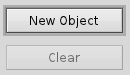
The behavior of a button depends on its behavior. The normal behavior of a button is to set the value to 1 (B_CONTROL_ON) only when the button is activated, otherwise the value is 0 (B_CONTROL_OFF). Setting a button to use B_TOGGLE_BEHAVIOR makes the button behave like a checkbox so that each time the button is activate the value toggles between B_CONTROL_OFF and B_CONTROL_ON. The third behavior to use is B_POP_UP_BEHAVIOR which adds a pop-up marker to the button similar to that of BMenuField.
A button may have either a text label, an icon, or both. The button's label is set in the constructor or by the SetLabel() method. To set the icon for a button use the SetIcon() method. The text label will draw to the right of the icon.
- Since
- BeOS R3
Constructor & Destructor Documentation
◆ BButton() [1/4]
| BButton::BButton | ( | BRect | frame, |
| const char * | name, | ||
| const char * | label, | ||
| BMessage * | message, | ||
| uint32 | resizingMode = B_FOLLOW_LEFT_TOP, |
||
| uint32 | flags = B_WILL_DRAW | B_NAVIGABLE | B_FULL_UPDATE_ON_RESIZE |
||
| ) |
Creates and initializes a BButton control.
- Note
- A BButton created with a constructor that includes a frame parameter does not utilize the Layout Kit to position and size the control.
BControl initializes the button's label and assigns it a message that identifies the action that should be carried out when the button is pressed. When the button is attached to a window it is resizes to the height of the button's frame rectangle to fit the button's border and label in the button's font.
The frame, name, resizingMode, and flags parameters are passed up the inheritance chain to the BView class.
- Parameters
-
frame The frame rectangle that the button is draw into. name The name of the button. Can be NULL.label The button label text. Can be NULL.message The BButtons's action message. Can be NULL.resizingMode Mask sets the parameters by which the BButton can be resized. See BView for more information on resizing options. flags The flags mask sets what notifications the BButton can receive. See BView for more information on flags.
- Since
- BeOS R3
◆ BButton() [2/4]
| BButton::BButton | ( | const char * | name, |
| const char * | label, | ||
| BMessage * | message, | ||
| uint32 | flags = B_WILL_DRAW | B_NAVIGABLE | B_FULL_UPDATE_ON_RESIZE |
||
| ) |
Creates and initializes a BButton control.
BControl initializes the button's label and assigns it a message that identifies the action that should be carried out when the button is pressed. When the button is attached to a window it is resizes to the height of the button's frame rectange to fit the button's border and label in the button's font.
- Parameters
-
name The name of the button. Can be NULL.label The button's label text. Can be NULL.message The button's action message. Can be NULL.flags The flags mask sets what notifications the button can receive. See BView for more information on flags.
- Since
- Haiku R1
◆ BButton() [3/4]
Creates and initializes a BButton control.
Creates the button with the specified label. The action carried out by the button is specified by the message.
- Parameters
-
label The button's label text. Can be NULL.message The buttons action message. Can be NULL.
- Since
- Haiku R1
◆ BButton() [4/4]
| BButton::BButton | ( | BMessage * | data | ) |
Constructs a BButton object from an data message.
This method is usually not called directly. If you want to build a button from a message you should call Instantiate() which can handle errors properly.
If the data deep, the BButton object will also unarchive each of its child views recursively.
- Parameters
-
data The data message to restore from.
- Since
- BeOS R3
◆ ~BButton()
|
virtual |
Destructor, does nothing.
- Since
- BeOS R3
Member Function Documentation
◆ AllAttached()
|
virtual |
Similar to AttachedToWindow() but this method is triggered after all child views have already been attached to a window.
- Since
- BeOS R3
Reimplemented from BControl.
◆ AllDetached()
|
virtual |
Similar to AttachedToWindow() but this method is triggered after all child views have already been detached from a window.
- Since
- BeOS R3
Reimplemented from BControl.
◆ Archive()
Archives the object into the data message.
- Parameters
-
data A pointer to the BMessage object to archive the object into. deep Whether or not to archive child views as well.
- Returns
- A status code,
B_OKif everything went well or an error code otherwise.
- See also
- BControl::Archive()
- Since
- BeOS R3
Reimplemented from BControl.
◆ AttachedToWindow()
|
virtual |
Hook method called when the button is attached to a window.
The view color is set to B_TRANSPARENT_COLOR. If the button is the default button the window's default button is updated.
- See also
- BControl::AttachedToWindow()
- Since
- BeOS R3
Reimplemented from BControl.
◆ Behavior()
| BButton::BBehavior BButton::Behavior | ( | ) | const |
Returns the buttons behavior.
- Returns
- The button behavior flag.
- Since
- Haiku R1
◆ DetachedFromWindow()
|
virtual |
Hook method called when the button is detached from a window.
- Since
- BeOS R3
Reimplemented from BControl.
◆ Draw()
|
virtual |
Draws the area of the button that intersects updateRect and sets the label.
- Note
- This is an hook method called by the Interface Kit, you don't have to call it yourself. If you need to forcefully redraw the button consider calling Invalidate() instead.
- Parameters
-
updateRect The rectangular area to be drawn.
- See also
- BView::Draw()
- Since
- BeOS R3
Reimplemented from BView.
◆ FrameMoved()
|
virtual |
Hook method called when the button is moved.
- Parameters
-
newPosition The point of the top left corner of the frame that the view has been moved to.
- Since
- BeOS R3
Reimplemented from BView.
◆ FrameResized()
|
virtual |
Hook method called when the button is resized.
- Parameters
-
newWidth The new width of the view. newHeight The new height of the view.
- Since
- BeOS R3
Reimplemented from BView.
◆ GetPreferredSize()
|
virtual |
Fill out the preferred width and height of the button into the _width and _height parameters.
Derived classes can override this method to set the preferred width and height of the control.
- Parameters
-
[out] _width Pointer to a floatto hold the width of the control.[out] _height Pointer to a floatto hold the height of the control.
- See also
- BView::GetPreferredSize()
- Since
- BeOS R3
Reimplemented from BControl.
◆ GetSupportedSuites()
Report the suites of messages this control understands.
Adds the string "suite/vnd.Be-control" to the message.
- Since
- BeOS R3
Reimplemented from BControl.
◆ Instantiate()
|
static |
◆ Invoke()
Sends a copy of the model message to the designated target.
BControl::Invoke() overrides BInvoker::Invoke(). Derived classes should use this method in their MouseDown() and KeyDown() methods and should call IsEnabled() to check if the control is enabled before calling Invoke().
The following fields added to the BMessage:
- "when"
B_INT64_TYPEsystem_time() - "source"
B_POINTER_TYPEA pointer to the BControl object.
- Parameters
-
message The message to send.
- Returns
B_OKif the control was invoked, otherwise an error code is returned.
- See also
- BInvoker::Invoke()
- IsEnabled()
- Since
- BeOS R3
Reimplemented from BControl.
◆ IsDefault()
| bool BButton::IsDefault | ( | ) | const |
Returns whether or not the button is the default button on the window, i.e. whether or not it responds to the Enter key.
- Returns
trueif the button is the default button,falseotherwise.
- Since
- BeOS R3
◆ IsFlat()
| bool BButton::IsFlat | ( | ) | const |
Returns whether or not the button is flat or not.
- Returns
trueif the button is flat,falseotherwise.
- Since
- Haiku R1
◆ KeyDown()
|
virtual |
Hook method called when a keyboard key is pressed.
Invokes the button on B_ENTER or B_SPACE.
- Parameters
-
bytes The bytes of the key combination pressed. numBytes The number of bytes in bytes.
- Since
- BeOS R3
Reimplemented from BControl.
◆ LayoutInvalidated()
|
protectedvirtual |
Hook method called when the layout is invalidated.
Invalidate cached preferred size.
- Parameters
-
descendants Whether or not child views have also been invalidated.
- Since
- Haiku R1
Reimplemented from BView.
◆ MakeDefault()
|
virtual |
Make the BButton the default button i.e. it will be activated when the user pushes the Enter key.
A window can have only one default button at a time.
- Parameters
-
flag trueto make the button the default button,falseto remove the default button status.
- See also
- BWindow::SetDefaultButton()
- Since
- BeOS R3
◆ MakeFocus()
|
virtual |
Makes the button the current focus view of the window or gives up being the window's focus view.
BControl::MakeFocus() overrides BView::MakeFocus() to call Draw() when the focus changes. Derived classes generally don't have to re-implement MakeFocus().
IsFocusChanging() returns true when Draw() is called from this method.
- Parameters
-
focus true to set focus, false to remove it.
- See also
- BView::MakeFocus()
- IsFocusChanging()
- Since
- BeOS R3
Reimplemented from BControl.
◆ MaxSize()
|
virtual |
◆ MessageReceived()
|
virtual |
Handle message received by the associated looper.
- Parameters
-
message The message received by the associated looper.
- See also
- BHandler::MessageReceived()
- Since
- BeOS R3
Reimplemented from BControl.
◆ MinSize()
|
virtual |
◆ MouseDown()
|
virtual |
Hook method called when a mouse button is pressed.
Begins tracking the mouse cursor.
- Parameters
-
where The point on the screen where the mouse pointer is when the mouse button is pressed.
- Since
- BeOS R3
Reimplemented from BControl.
◆ MouseMoved()
Hook method called when the mouse is moved.
Once MouseDown() has been called this method updates the button's value if the mouse cursor is inside the button. The value that is set depends on if the button is using B_TOGGLE_BEHAVIOR or not.
- Parameters
-
where The new location of the mouse in the view's coordinate system. code One of the following: B_ENTERED_VIEWThe cursor has just entered the view.B_INSIDE_VIEWThe cursor is inside the view.B_EXITED_VIEWThe cursor has left the view's bounds. This only gets sent if the scope of the mouse events that the view can receive has been expanded by SetEventMask() or SetMouseEventMask().B_OUTSIDE_VIEWThe cursor is outside the view. This only gets sent if the scope of the mouse events that the view can receive has been expanded by SetEventMask() or SetMouseEventMask().
dragMessage If a drag-and-drop operation is taking place this is a pointer to a BMessage that holds the drag information, otherwise the pointer is NULL.
- Since
- BeOS R3
Reimplemented from BControl.
◆ MouseUp()
|
virtual |
Hook method called when a mouse button is released.
Set the value of the button if MouseDown() was previously called on the button. The value that is set depends on if the button is using B_TOGGLE_BEHAVIOR or not.
- Parameters
-
where The point on the screen where the mouse pointer is when the mouse button is released.
- Note
- Calling GetMouse() in MouseUp() will return the new state of the mouse buttons (after the mouse button was released). If you want to know which button was released, you have to compare that with the previous state of the buttons, that you can memorize for example by calling GetMouse() in MouseDown().
- Since
- BeOS R3
Reimplemented from BControl.
◆ Perform()
|
virtual |
Perform some action. (Internal Method)
This method is available to allow classes to be extended while maintaining binary compatibility.
The following perform codes are recognized:
PERFORM_CODE_MIN_SIZE:PERFORM_CODE_MAX_SIZE:PERFORM_CODE_PREFERRED_SIZE:PERFORM_CODE_LAYOUT_ALIGNMENT:PERFORM_CODE_HAS_HEIGHT_FOR_WIDTH:PERFORM_CODE_GET_HEIGHT_FOR_WIDTH:PERFORM_CODE_SET_LAYOUT:PERFORM_CODE_INVALIDATE_LAYOUT:PERFORM_CODE_DO_LAYOUT:PERFORM_CODE_GET_TOOL_TIP_AT:PERFORM_CODE_ALL_UNARCHIVED:PERFORM_CODE_ALL_ARCHIVED:
- Parameters
-
code The perform code. _data A pointer to store some data.
- Returns
- A status code.
- Since
- Haiku R1
Reimplemented from BControl.
◆ PopUpMessage()
| BMessage * BButton::PopUpMessage | ( | ) | const |
Returns the message sent to the button's target when the pop-up marker is selected using B_POP_UP_BEHAVIOR.
- Returns
- The message sent to the button's target.
- Since
- Haiku R1
◆ PreferredSize()
|
virtual |
◆ ResizeToPreferred()
|
virtual |
◆ ResolveSpecifier()
|
virtual |
Determine the proper handler for a scripting message.
- Parameters
-
message The scripting message to determine the handler. index The index of the specifier. specifier The message which contains the specifier. what The 'what' field of the specifier message. property The name of the target property.
- Returns
- A pointer to the proper BHandler for the given scripting message.
- Since
- BeOS R3
Reimplemented from BControl.
◆ SetBehavior()
| void BButton::SetBehavior | ( | BBehavior | behavior | ) |
Sets the button behavior.
- Parameters
-
behavior One of the following: B_BUTTON_BEHAVIORNormal behavior,B_TOGGLE_BEHAVIORActs like a check box,B_POP_UP_BEHAVIORAdds a pop-up marker to the button (similar to that of BMenuField).
- Since
- Haiku R1
◆ SetFlat()
| void BButton::SetFlat | ( | bool | flat | ) |
Sets or unsets the button to be flat.
- Parameters
-
flat trueto make the button flat,falseto make the button not flat.
- Since
- Haiku R1
◆ SetIcon()
This convenience method is used to set the bitmaps for the standard states from a single bitmap.
- Parameters
-
icon The icon to set. flags Modify how the icon is set.
- Returns
B_OKif the icon was set or an error code otherwise.
- See also
- BControl::SetIcon()
- Since
- Haiku R1
Reimplemented from BControl.
◆ SetLabel()
|
virtual |
Sets the button's label.
- Parameters
-
label The string to set the label to.
- Since
- BeOS R3
Reimplemented from BControl.
◆ SetPopUpMessage()
| void BButton::SetPopUpMessage | ( | BMessage * | message | ) |
Sets the message sent to the button's target when the pop-up marker is selected using B_POP_UP_BEHAVIOR.
- Parameters
-
message The message sent to the button's target.
- Since
- Haiku R1
◆ SetValue()
|
virtual |
Sets the value of the button.
- Note
- This method can be overridden in order to take a different action when the value changes.
- Parameters
-
value The value to set to the BButton to. Options include: 0(B_CONTROL_OFF)1(B_CONTROL_ON)
- See also
- BControl::SetValue()
- Since
- BeOS R3
Reimplemented from BControl.
◆ WindowActivated()
|
virtual |
Hook method called when the attached window is activated or deactivated.
Redraws the focus ring around the control when the window is activated or deactivated if it is the window's current focus view.
- Parameters
-
active trueif the window becomes activated,falseif the window becomes deactivated.
- See also
- BView::WindowActivated()
- Since
- BeOS R3
Reimplemented from BControl.